Project Overview
Invest’s existing platform, Mint, handled transactions and maintained the client master. The CRM was designed as its companion: a relationship-management layer for brokers, sub-brokers, relationship managers, back office and admins.
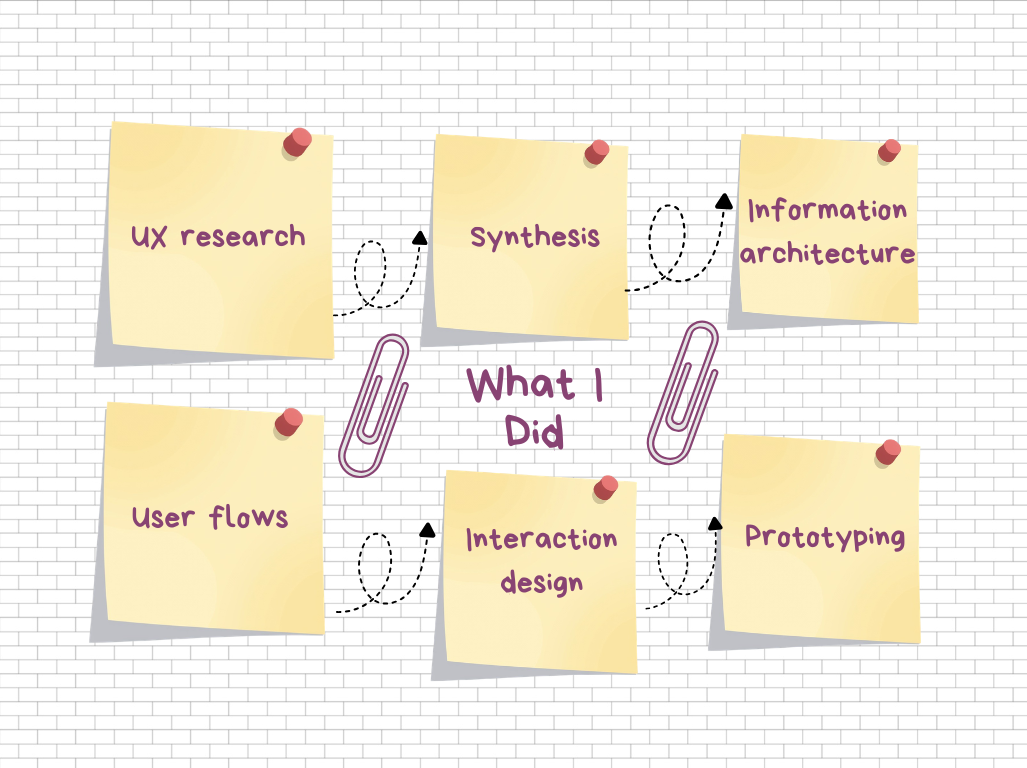
I worked across the product-design process, translating business and workflow requirements into user journeys, information architecture, interaction patterns and detailed product flows. I worked closely with Product, Business, Engineering and domain stakeholders.
What I Did
Context & Problem Framing
What problem were we solving?
Mint did not support the relationship work that happened around transactions. Advisors were managing follow-ups, meetings, leads and client context across WhatsApp, Excel, calendars, notes and memory.
As the client base and teams grew, this created a simple but important gap: advisors could see what a client had invested in, but they did not have a reliable way to see what needed to happen next.
Why the problem mattered
The problem was not just about productivity. Missed follow-ups, SIP maturities, FD renewals, insurance renewals and inactive clients could become missed business opportunities. At the same time, the lack of a shared activity history made handovers difficult and created compliance and continuity risks.
For broker principals, there was another issue: limited visibility into what their teams were working on, where opportunities were getting stuck, and what needed to be reassigned.
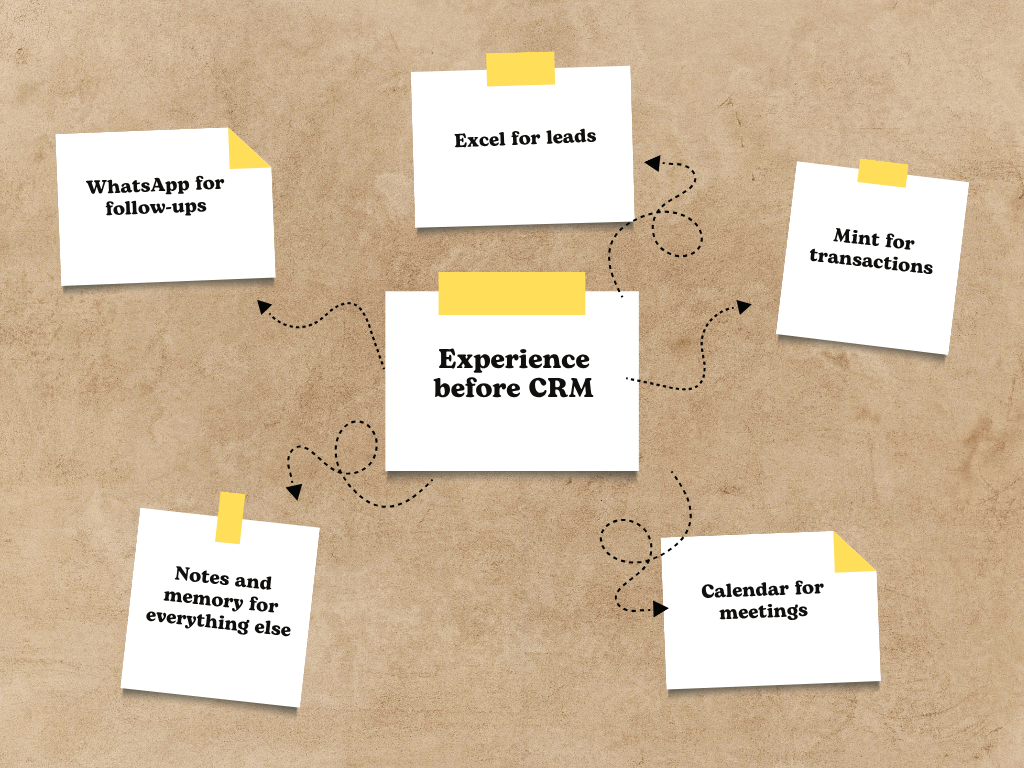
The experience before CRM
Core problem: there was no connected system linking the advisor’s day-to-day work with the client relationship it was supposed to serve.
- How might we help advisors see what needs to happen next for every client, without replacing the platform they already rely on?
Goals & Constraints
The goal was to extend Mint with a relationship-management layer rather than replace it. The CRM needed to help advisors understand what to do next, manage client relationships in one place, and give broker teams better visibility and continuity.
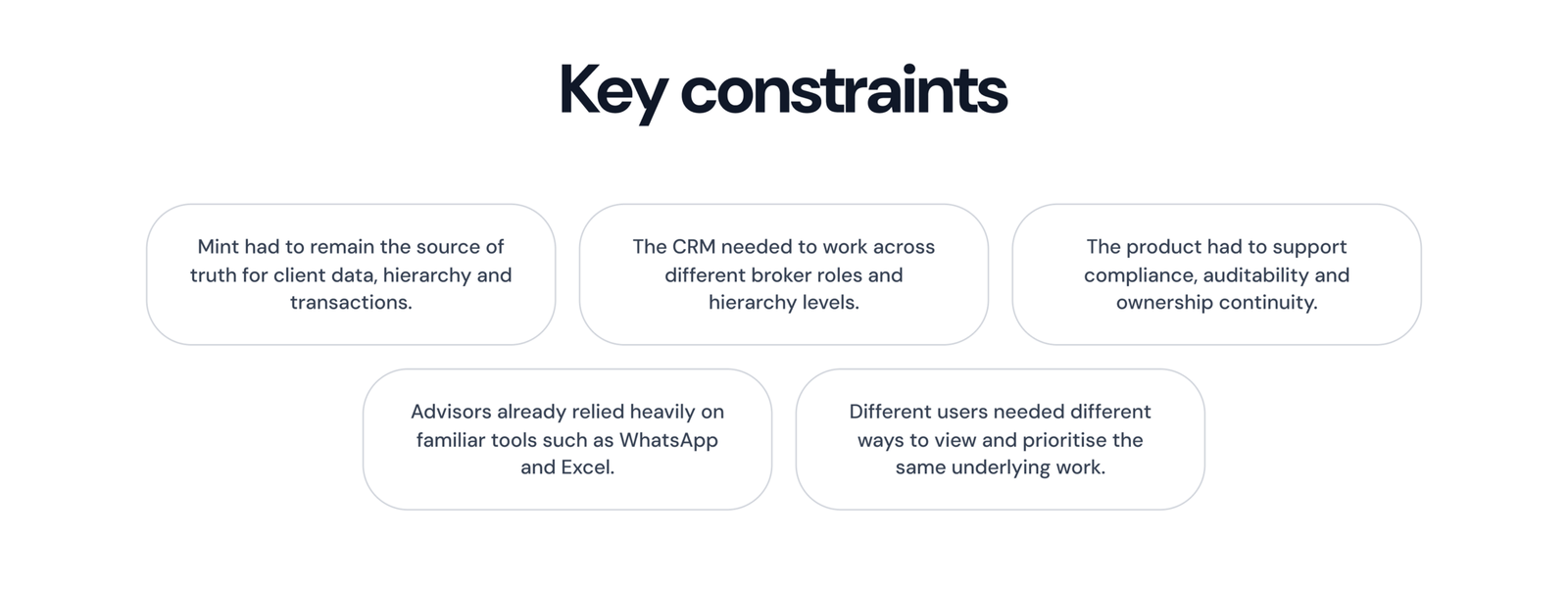
Key constraints
Research Approach
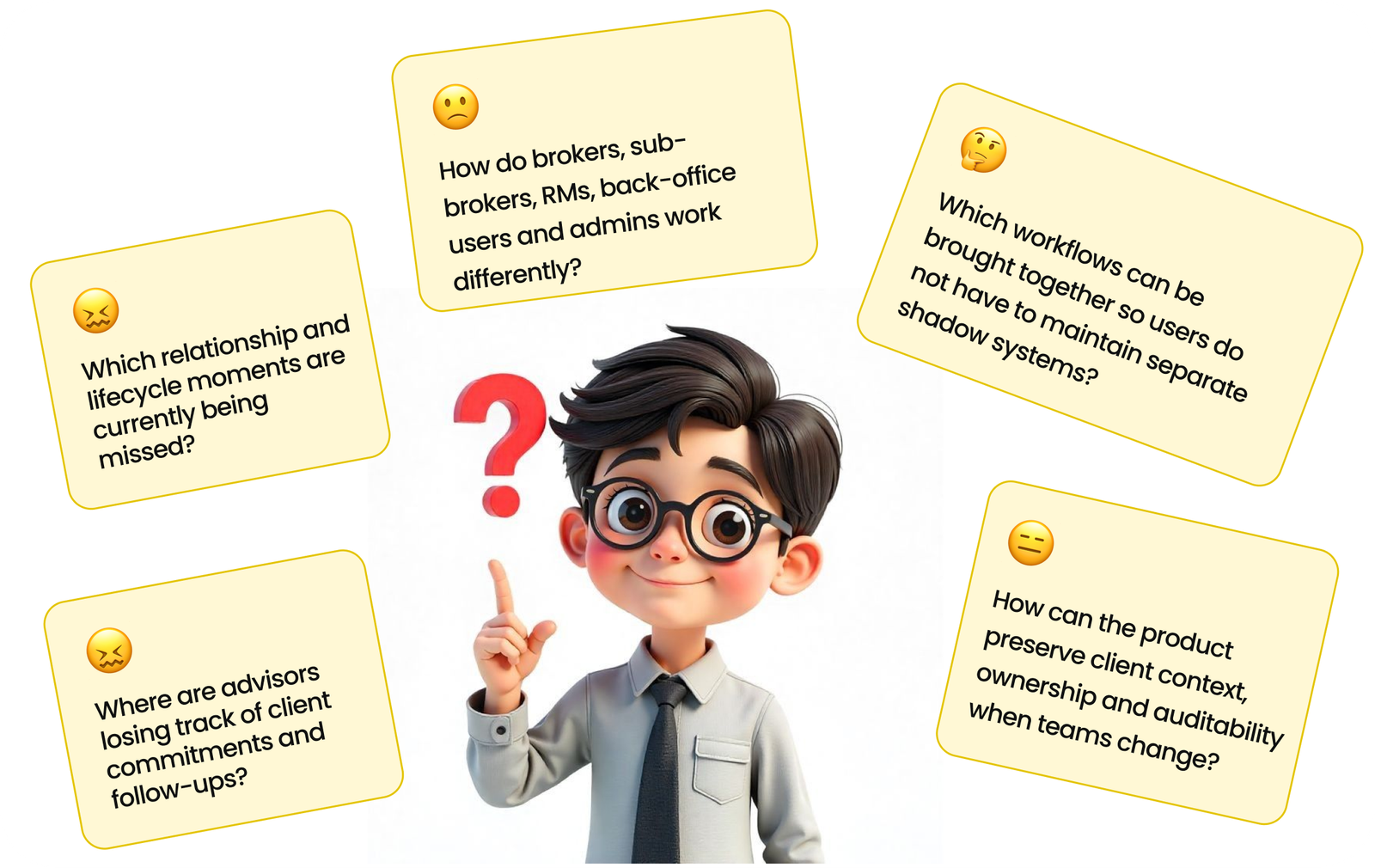
Research questions
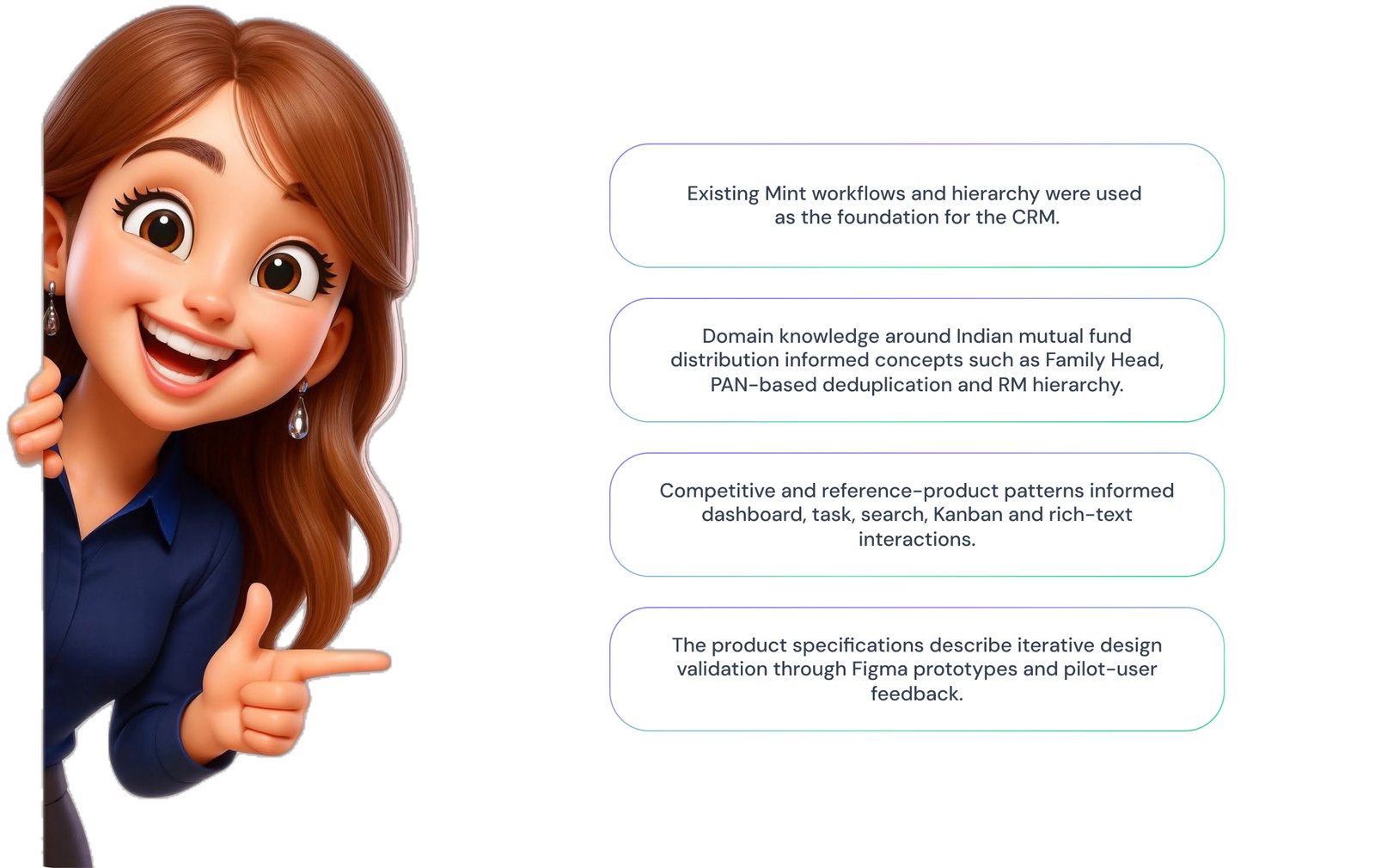
Research and product inputs
This section stays grounded in the documented product problem, specifications and design decisions rather than presenting reconstructed evidence as participant research.
Research themes
- Context switching across multiple tools
- Missed follow-ups and lifecycle opportunities
- Difficulty prioritising the next action
- Loss of client context during handovers
- Unclear ownership across teams
- Repeated data entry and difficult search
Key Insights
1. Mint was not the problem; the missing relationship layer was
Users did not need Mint replaced. They needed the work around the transaction to be connected to it. This led to a companion-product approach, with Mint remaining the source of truth for clients, hierarchy and transactions.
2. Advisors needed prioritisation, not just more productivity tools
The documented workflows show that the real challenge was deciding what deserved attention next. A client with an upcoming SIP maturity or another high-value lifecycle event could easily be missed while the advisor dealt with the most recent message or request.
3. The family is an important part of the relationship
Wealth advisory often happens at a household level rather than around one isolated client. This shaped the Family Head concept, family-level visibility and inheritance of collaborators.
4. Different users need different ways to view the same work
RMs tend to think in checklists, while pipeline-focused users may prefer stages and managers may need a broader team view. This led to shared data with List, Kanban and Calendar views instead of forcing every user into one interaction model.
5. Trust depends on durable context
In a regulated environment, users need to know who did what and when. The activity log, meeting notes, ownership rules and reassignment logic were therefore treated as part of the core experience.
6. Notifications need to add value, not noise
Because advisors already work across WhatsApp and email, adding more notifications could easily create another source of noise. The MVP therefore focused on an in-app notification centre before expanding to additional channels.
Before → After
From fragmented work to one connected workflow.
Before
- Client information in Mint
- Follow-ups in WhatsApp
- Leads in Excel
- Meetings in personal calendars
- Client context in notes and memory
After
- Client as the shared foundation
- Tasks connected to clients and meetings
- Meetings with mandatory notes
- Lifecycle opportunities surfaced automatically
- Activity history preserved across the relationship
- Ownership and collaboration visible across the team
Design Principles
- Prioritise the next action instead of simply showing more information.
- Keep Mint as the source of truth instead of creating duplicate client data.
- Reduce context switching by connecting related work.
- Make client context durable across time, teams and employee changes.
- Support different working styles without creating different products.
- Keep everyday execution simple while giving admins the control they need.
Design Explorations & Decisions
Decision 1 — Build around the advisor’s next action
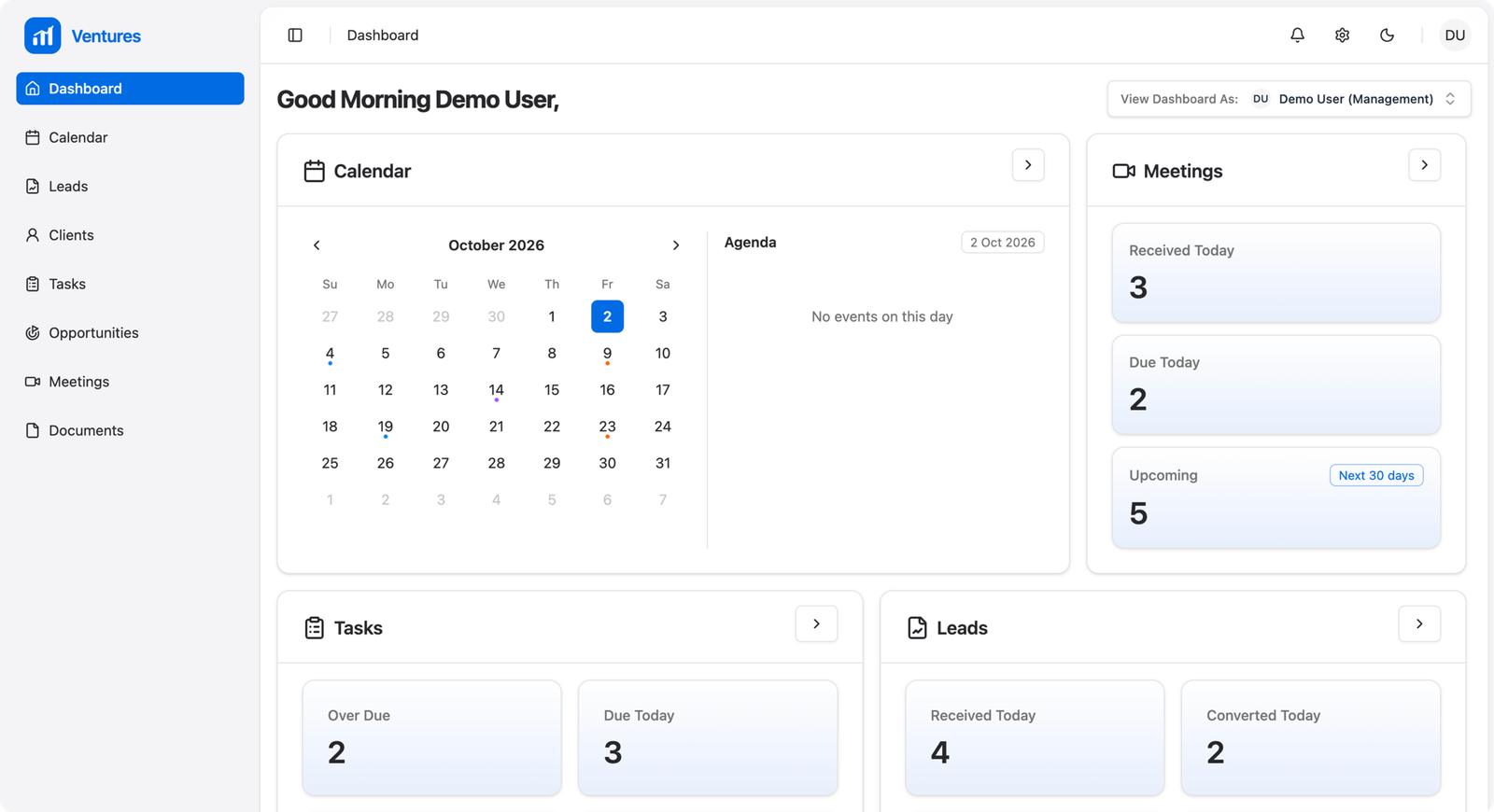
Instead of making the CRM another database to maintain, I structured the experience around what the user needs to do next. The dashboard brings together Overdue, Due Today, Upcoming and Unresolved work, along with reminders and recent activity.
Why: the goal was to reduce the mental effort of reconstructing the day from multiple systems.
Decision 2 — Keep Mint as the source of truth
I avoided creating a second client database. Client information and hierarchy continue to come from Mint, while the CRM adds the relationship layer — tasks, meetings, opportunities, activities and collaboration.
Trade-off: this meant designing around an existing system rather than redesigning everything from scratch, but it reduced duplication and protected the existing transaction foundation.
Decision 3 — Use the same structure across modules
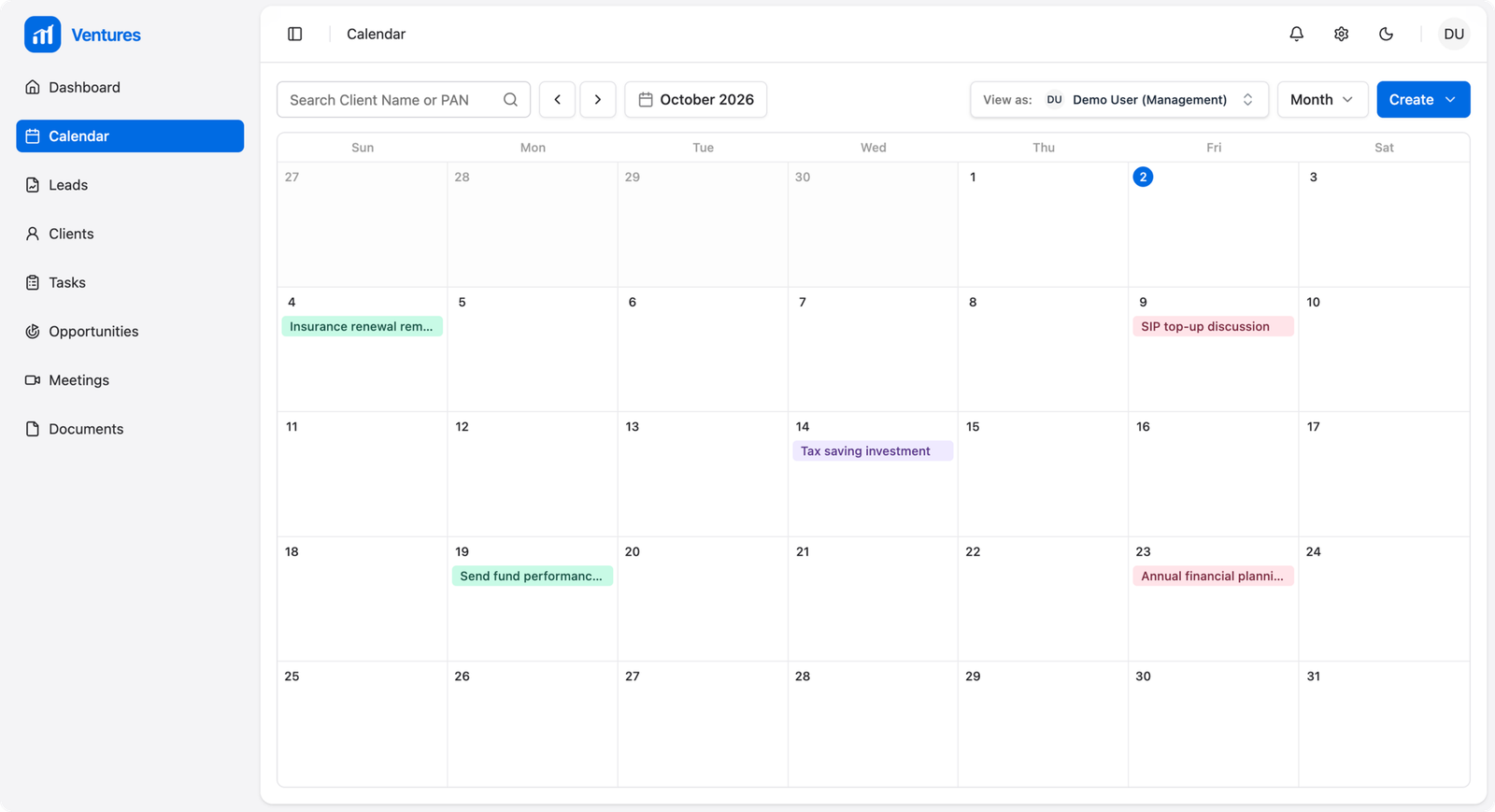
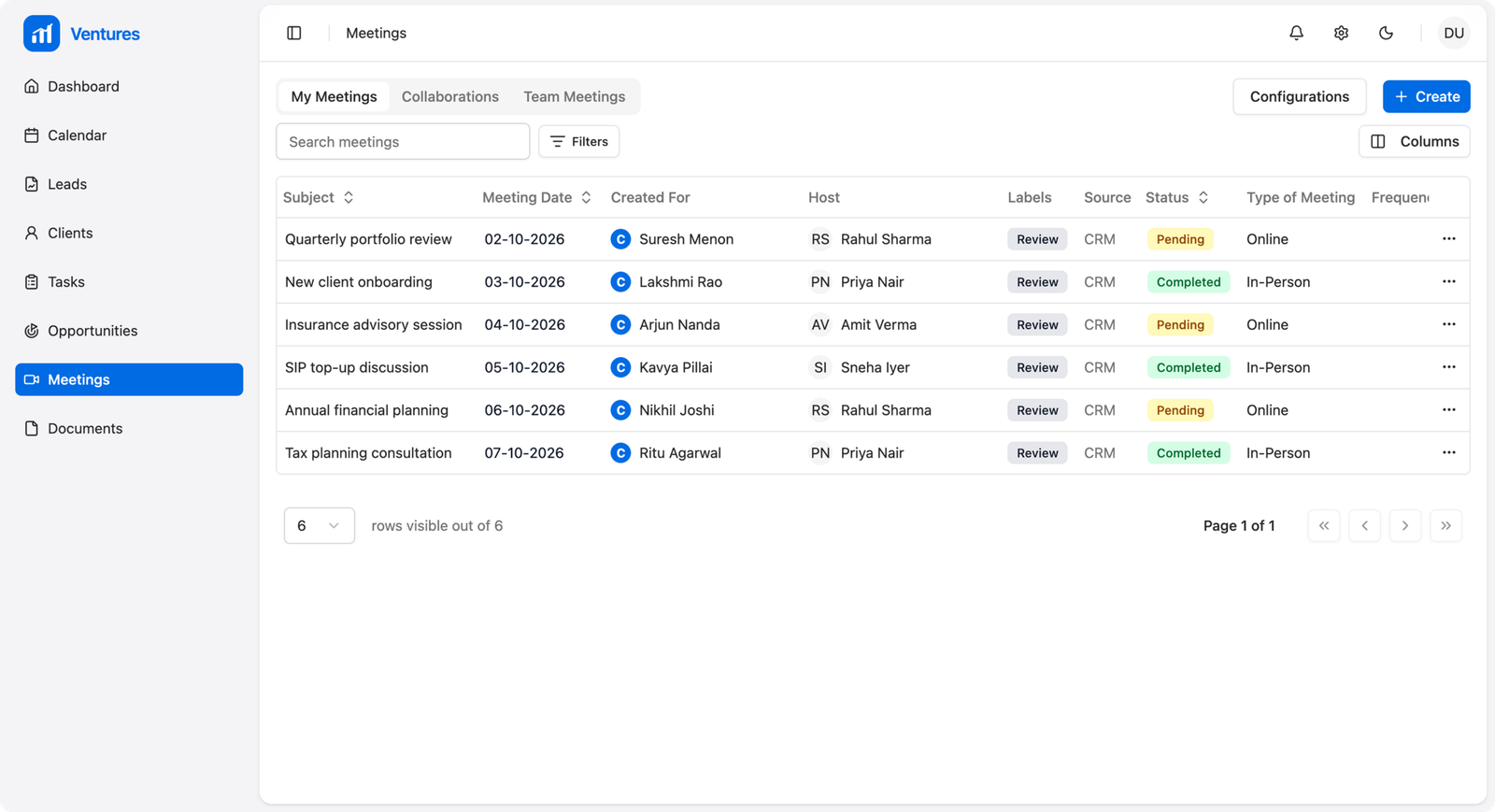
A consistent My / My Team’s / Collaborations structure was applied across Leads, Clients, Tasks, Meetings and Opportunities. The goal was to make the product easier to learn and to keep ownership and collaboration clear.
Why: users should not have to learn a different mental model every time they move to another module.
Decision 4 — Give users multiple ways to work
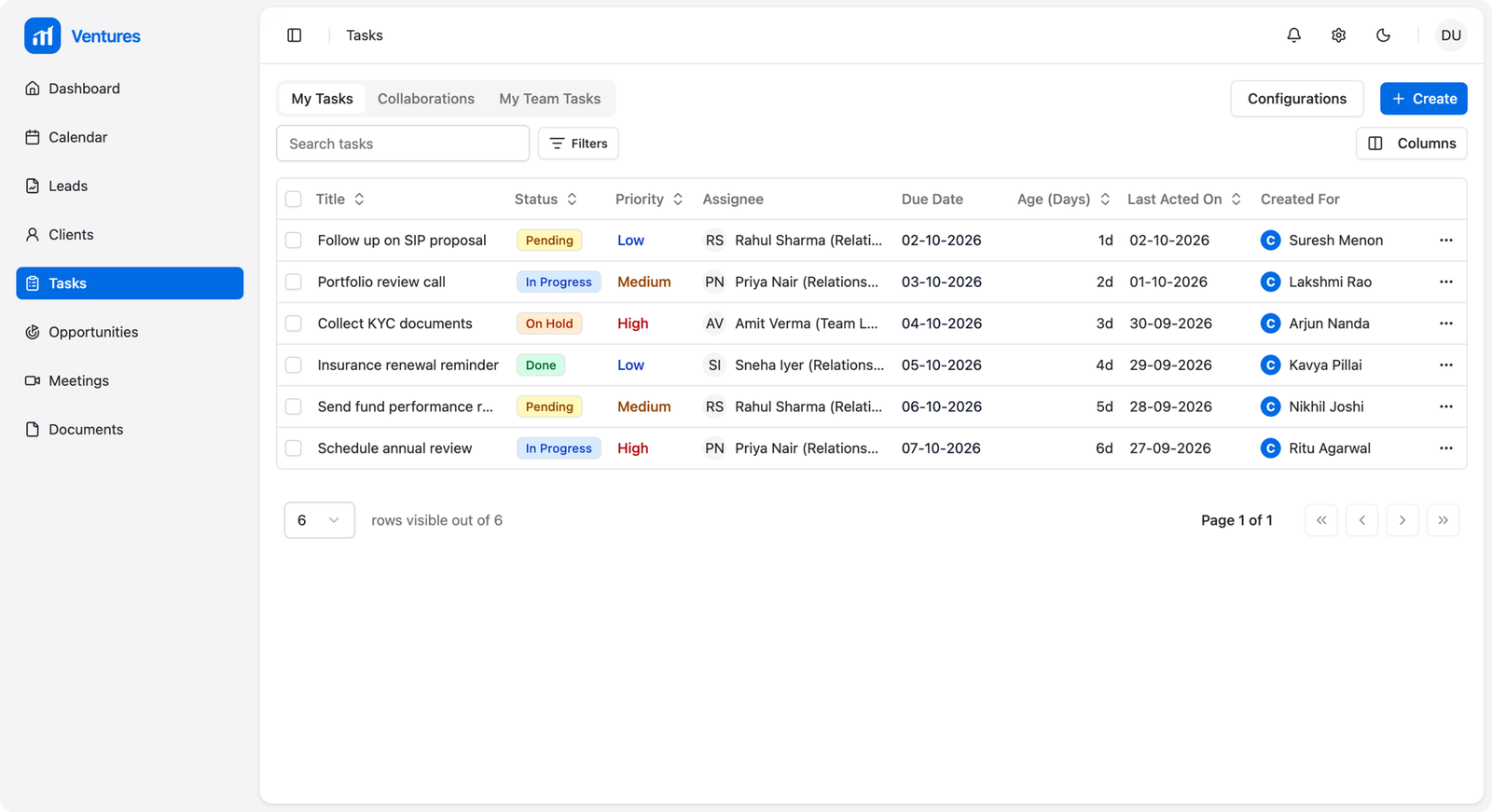
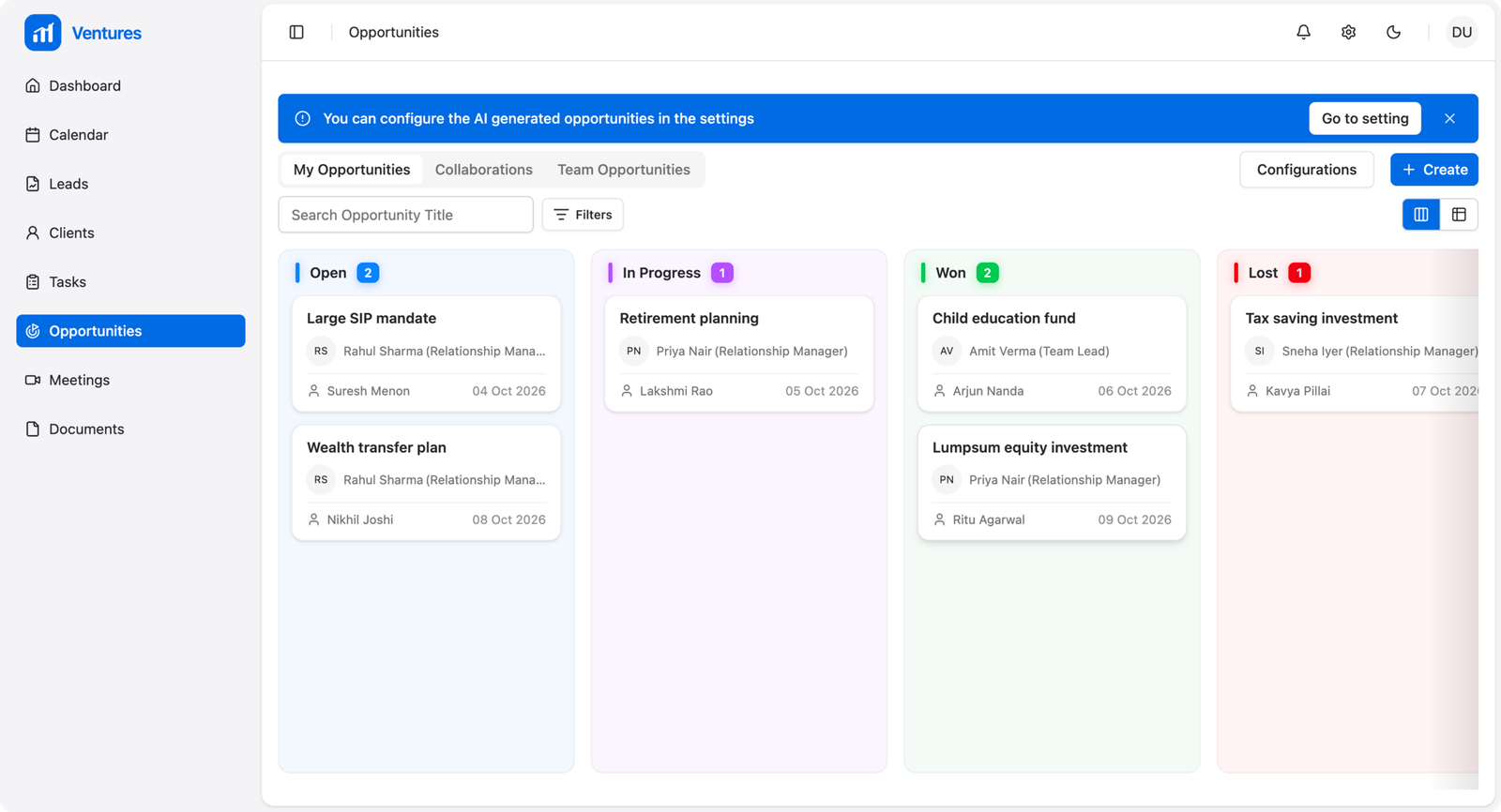
Tasks, Leads and Opportunities can be viewed through List, Kanban or Calendar depending on the type of work. The underlying records stay the same, while the presentation changes to match the user’s mental model.
Decision 5 — Surface opportunities automatically
The CRM uses lifecycle triggers to surface moments such as SIP maturity, FD maturity, insurance renewal, large redemption and inactive clients. The opportunity-scoring framework then helps advisors decide where to focus first.
- SIP maturity
- FD maturity
- Insurance renewal
- Large redemption
- Inactive clients
Decision 6 — Preserve context across the relationship
Meeting notes, activities, collaborators and ownership rules were designed to make client context durable. If an RM changes or leaves, the relationship history should remain with the organisation instead of disappearing with the individual.
Decision 7 — Separate admin power from everyday execution
Admins need configuration and bulk-management controls, while RMs need a simpler workspace focused on getting their work done. The permission model separates these needs without creating unnecessary complexity for everyday users.
Primary User Flow
Lead → Client conversion
The conversion flow connects the CRM with Mint and uses Mint as the source of truth for the client record.
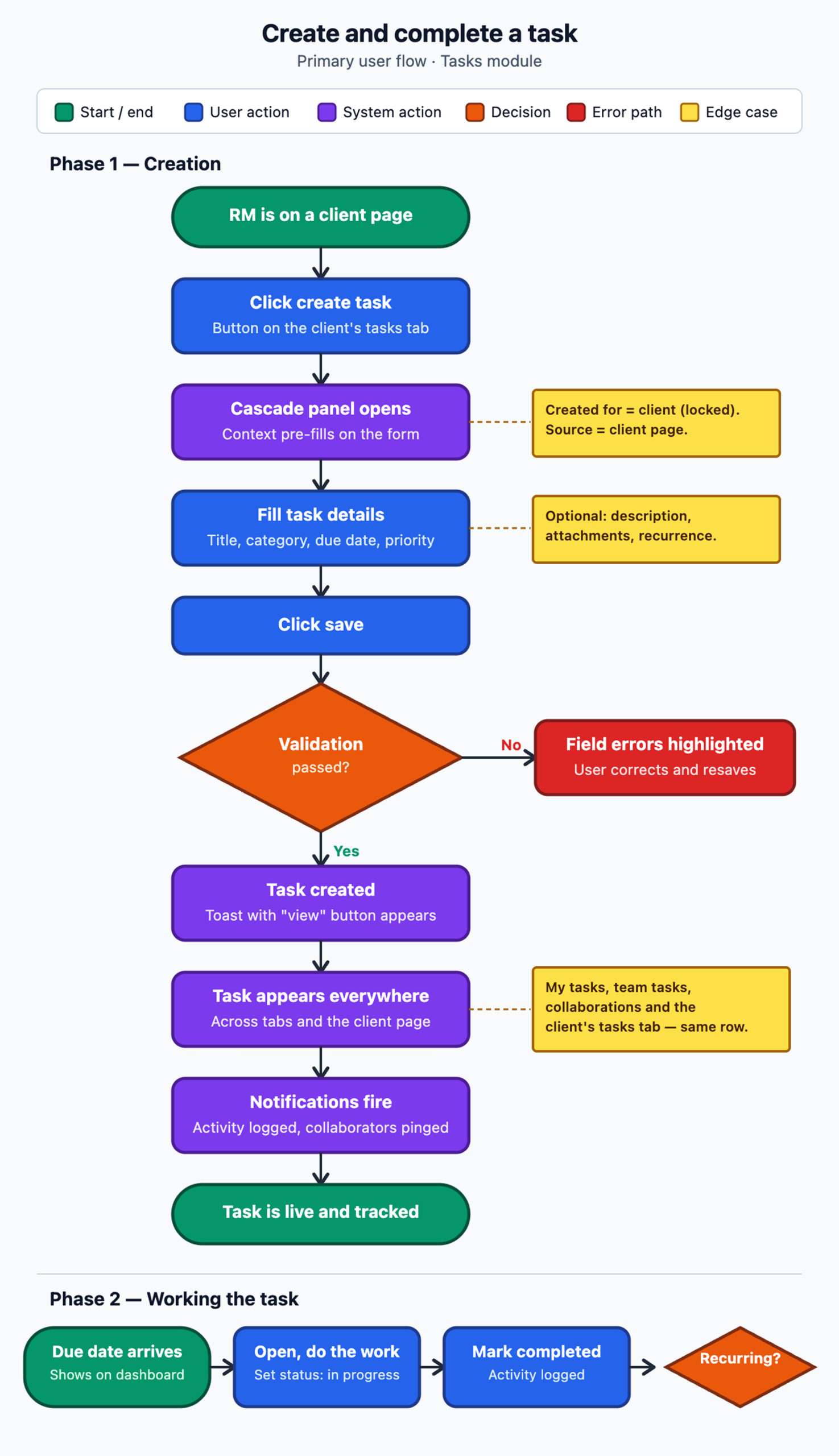
- Open the CRM dashboard and navigate to Leads.
- Open a lead and change the status to Converted.
- A conversion step asks for the required client details, including PAN and primary user.
- The CRM checks Mint for an existing client using PAN and name.
- If a matching client is found, the duplicate path prevents another client from being created.
- If no match is found, the client is created in Mint and Mint assigns the hierarchy.
- The resulting information syncs back to the CRM and the lead is frozen while the related entities are transferred.
Important edge cases
- Existing client match → prevent duplicate creation.
- Client creation → Mint remains responsible for hierarchy assignment.
- Sync back → CRM receives the resulting relationship data.
- Ownership changes → documented reassignment logic keeps work visible.
Primary Advisor Journey
A typical RM day
- Start with the dashboard to see overdue, due-today and upcoming work.
- Open a client to review previous activities, meetings, tasks and opportunities before a conversation.
- Run the meeting and capture notes directly against the client.
- Create follow-up tasks from the meeting so commitments have an owner and due date.
- Review automatically generated opportunities and prioritise the highest-value actions.
- Use the activity history and overdue work to close the day and prepare for the next one.
Core UX insight: the RM’s challenge is not simply workload. It is context and prioritisation — knowing what needs attention and which action matters most.
The CRM’s information architecture follows one simple idea: users should be able to understand what they own, what their team owns and where they are collaborating without learning a different structure for every module.
Information Architecture
- Dashboard
- Leads — My Leads, My Team’s Leads, Collaborations and unassigned leads
- Clients — My Clients, My Team’s Clients and Collaborations
- Tasks — My Tasks, My Team Tasks and Collaborations
- Meetings — My Meetings, My Team’s Meetings and Collaborations
- Opportunities — My Opportunities, My Team’s Opportunities and Collaborations
- Configuration for admins
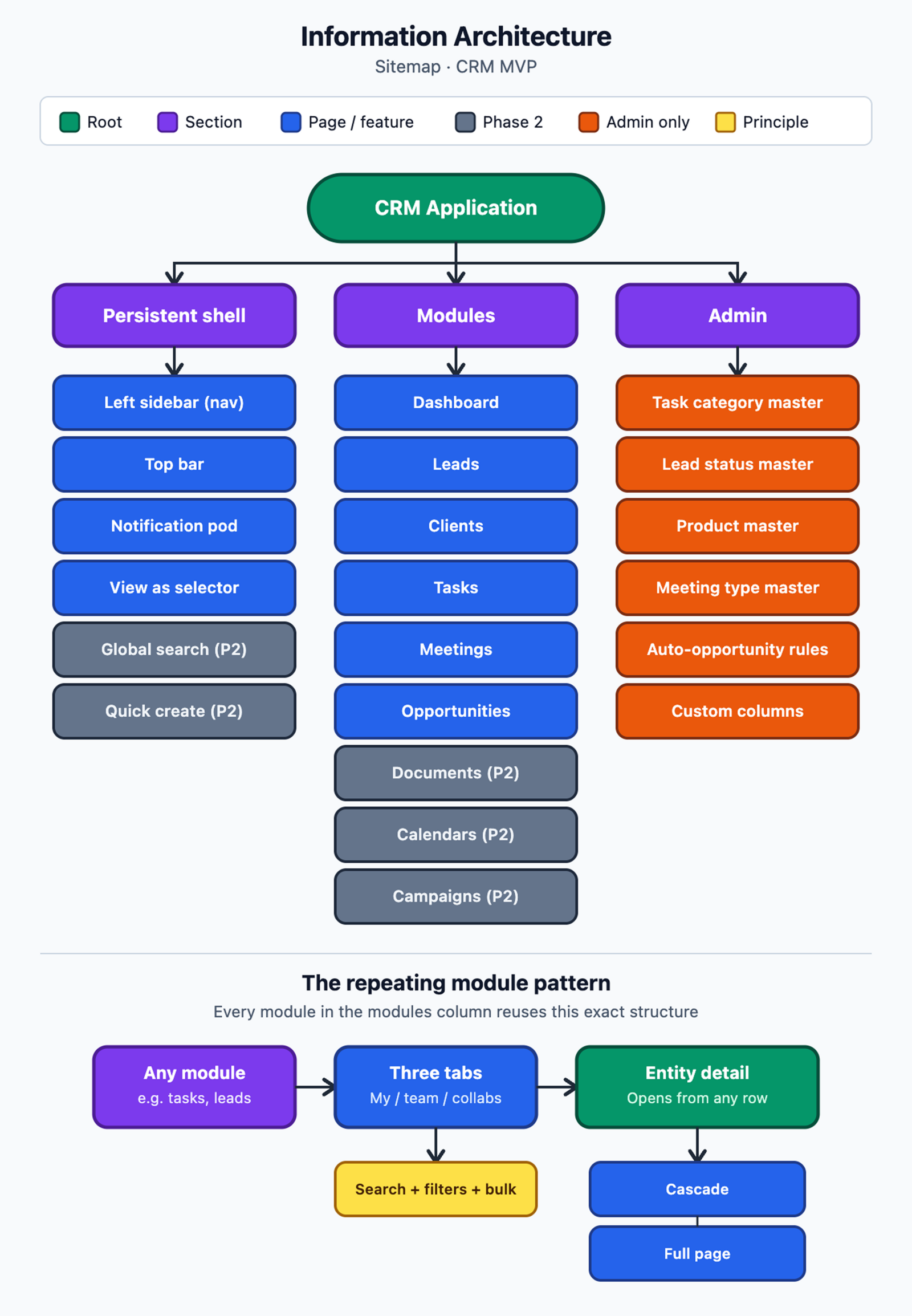
Reusable navigation patterns
- My / My Team’s / Collaborations tabs
- List / Kanban / Calendar views
- Quick search and filters
- Bulk actions
- Cascade side panel for quick context
- Full-page view for deeper editing
- Contextual empty states
Usability & Validation
What I would validate
Design was validated iteratively through Figma prototypes and pilot-user feedback. Raw usability-test notes, participant quotes and task-level success rates aren’t part of this write-up, so no usability metrics are presented here.
- Can an RM understand what needs attention today?
- Can users distinguish owned work from collaborative work?
- Can an advisor find relevant client history before a meeting?
- Can a user create a follow-up directly from a meeting?
- Can users understand why an opportunity has been surfaced?
- Can a senior user switch into a team member’s context without losing visibility?
Iteration principle
Where users struggle, the design should reduce interpretation rather than add more instructions — clearer hierarchy, contextual actions, consistent patterns and fewer context switches.
Design System & Scalability
The CRM was designed as a multi-module product, so consistency was important beyond individual screens. The objective was to make new modules feel familiar rather than introducing a new interaction model each time.
- Reusable table and finder patterns
- Consistent filters and search
- Shared status and permission patterns
- Side-panel and full-page models
- Consistent empty states and creation flows
- Common notification and collaboration patterns
Success Measures
Success was defined across adoption, revenue impact, operational efficiency and product health. These are the measures the product was designed to track.
- CRM adoption and active usage across broker organisations
- Client activity, task, meeting and opportunity creation
- Lead conversion and time-to-conversion
- Opportunity win rate and cross-sell activity
- AUM per RM and revenue lift after CRM activation
- Follow-up SLA compliance and overdue-task ratio
- Meeting-note completion and client inactivity
- Mint sync reliability and feature adoption depth
What I Learned
- A complex enterprise product becomes easier to use when the information architecture reflects how people actually work.
- The best workflow is not always the one with the fewest features; it is the one that makes the next decision clear.
- Designing around an existing platform requires working within technical and business constraints instead of treating the product as a blank canvas.
- In relationship-driven products, preserving context can be as important as improving task efficiency.
- Reusable patterns become especially important when one product serves multiple roles and modules.
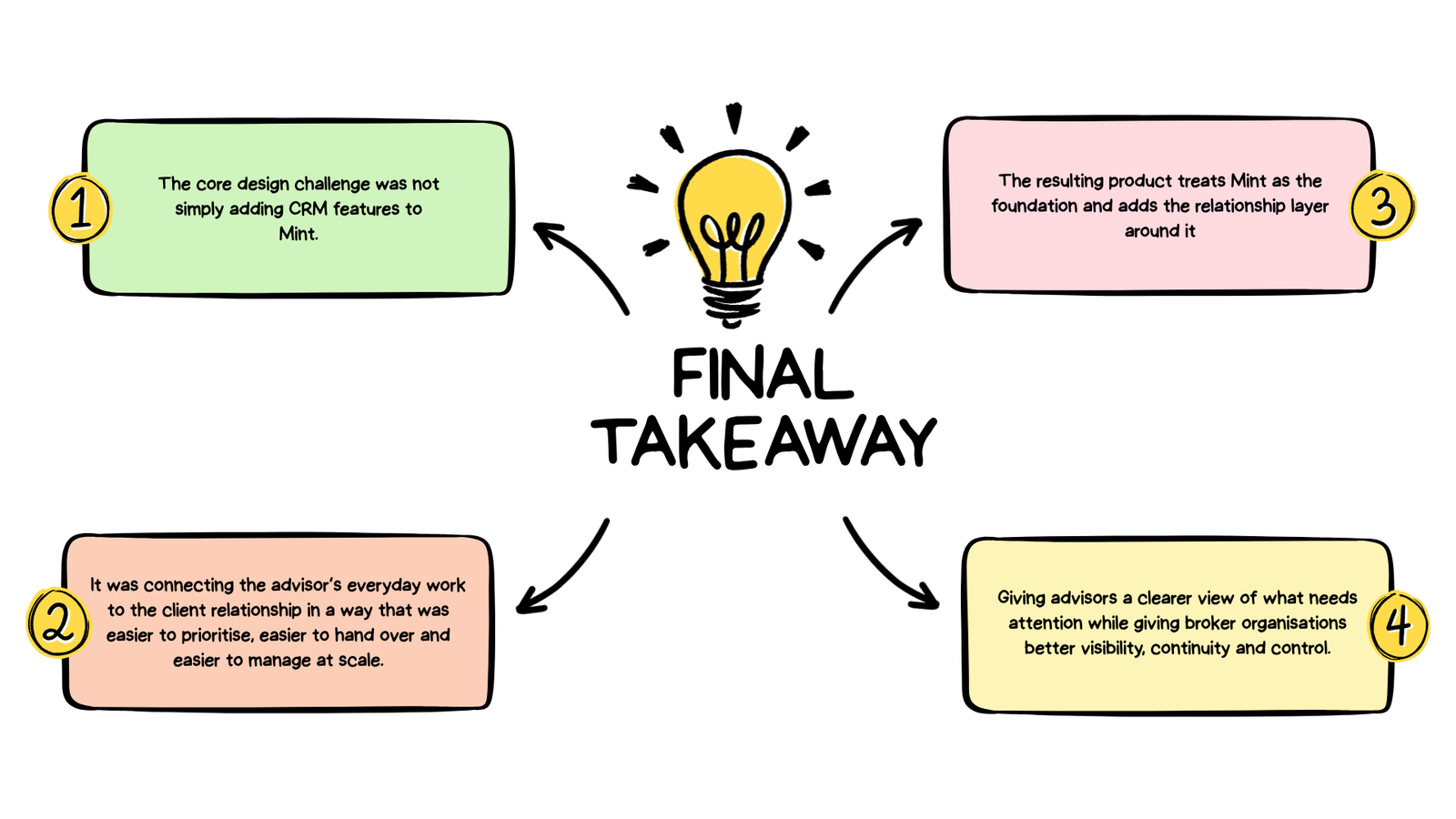
Final Takeaway